May 2021 – Getting Started
When I first installed Starlink on my boat back in 2021, it felt like magic. For years, boating in the Pacific Northwest meant spotty cell coverage, dead zones, and endless frustration trying to stay connected. Then came the little white dishy.
In this post, I will provide my comprehensive review titled ‘Starlink Internet on Boats My Review’ to share my thoughts and experiences with using Starlink Internet on my boat.
I paid about CAD $800 for the hardware and $190 per month for unlimited data. From day one, it impressed me. Multiple guests can stream Netflix, YouTube, or sports simultaneously without any complaints or lag. Speeds hovered around 100–140 Mbps down and 10 Mbps up, which meant I could host Zoom meetings, upload YouTube videos, and edit content right on the water.
For those new to Starlink, it’s an internet-only service. If you want TV, you still need apps like Netflix, Crave, TSN, or Global. Occasionally, there’s some buffering while streaming movies, but in my experience, it’s rare.
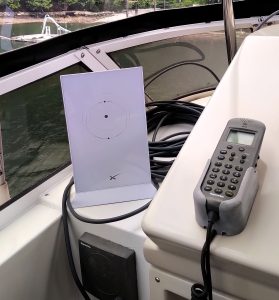
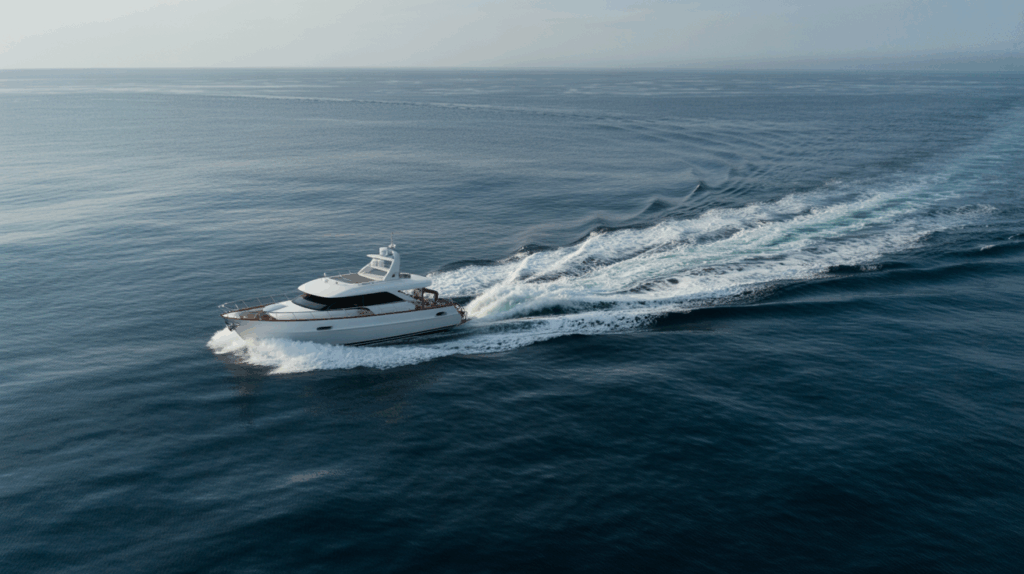
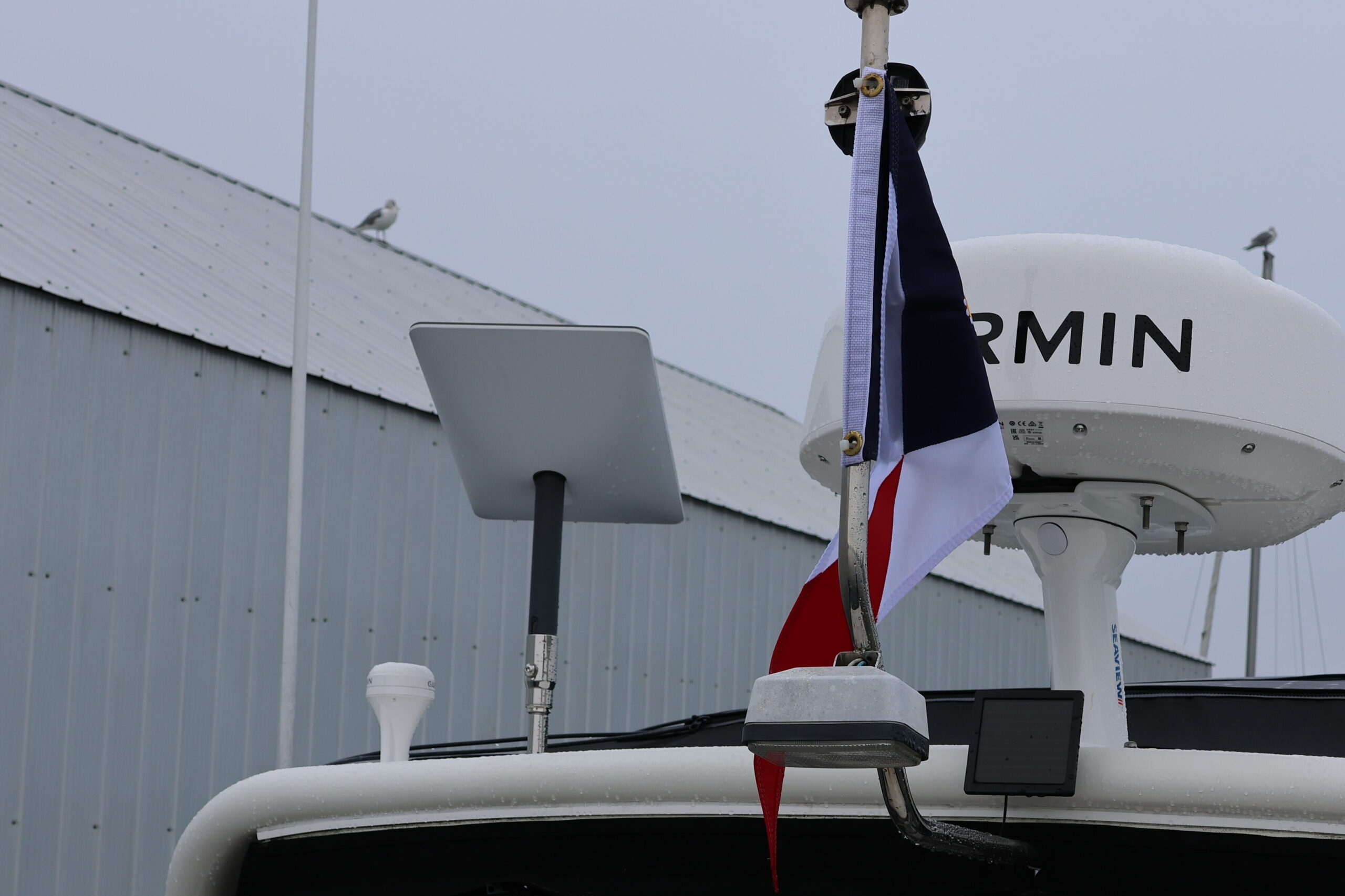
At the time, I had the system mounted on a pole on the upper arch, clear of the radar. It worked flawlessly while cruising at 10–12 knots around Vancouver and the Gulf Islands. Back then, I remember thinking: Could it really be this good?
May 2023 – Changes with Starlink Roam Package for In-Motion Use
By 2023, Starlink had become a hot topic in boating communities. Many of us were using the Roam (RV) Package on our vessels. However, things shifted. Starlink clarified that “in-motion use” (using Starlink while the boat is actually moving) requires upgrading to the Mobile Priority Data Plan, which is significantly more expensive. They explained it clearly, “In motion use is when Starlink is online and being utilized while on a moving vehicle or vessel. Having Starlink mounted on your vehicle or vessel that is parked, docked, or anchored is not considered as being used in motion.”
To avoid any headaches, I literally put a sign at my helm to remind myself: “Turn Starlink off while transiting.” Not ideal, but worth it to keep my service. Fellow boaters even received notifications that their service had been disconnected. Ouch.
Early 2024 – In-Motion Use at Sea UPDATE
Starting in early 2024, Starlink started allowing in-motion use for vessels travelling within 12 nautical miles of shore, which is a huge improvement for cruisers who want to stay connected while moving between anchorages. Beyond that 12-nautical-mile limit, you’ll need the Marine or Mobile Priority plan, but for most coastal boaters in the Pacific Northwest, the updated rule covers nearly all common cruising grounds. It means you can now leave your Starlink on while underway without worrying about losing service or risking account suspension.
Added Bonus: Using Your Shaw TV Box on the Boat
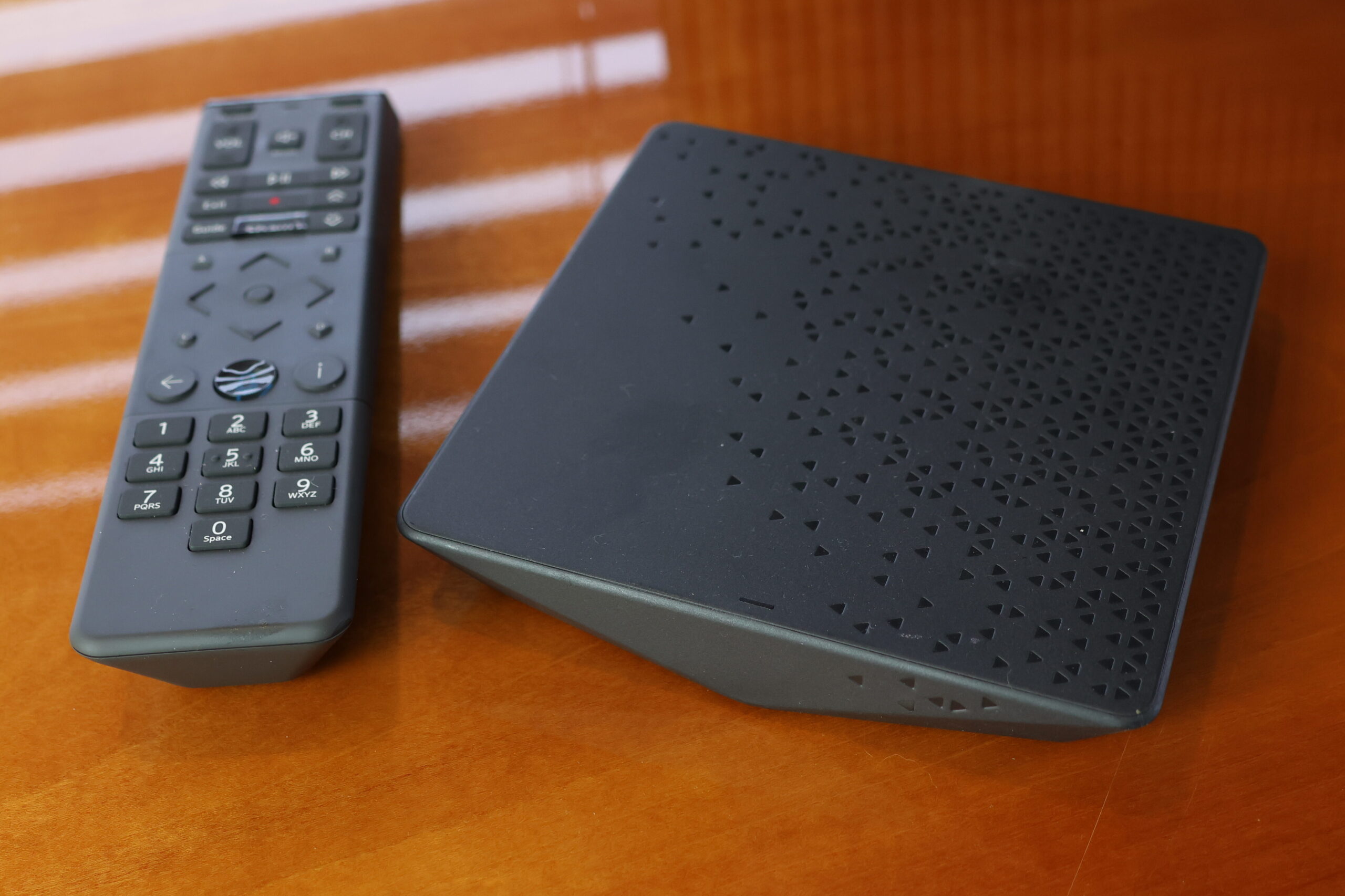
If you already have a Shaw TV subscription at home, you can actually bring that experience with you on the water. By connecting your Shaw TV box to Starlink, you’ll be able to stream all the same channels you get at home and access your saved shows on your Shaw PVR, right from your boat. It’s a simple way to extend the value of a service you’re already paying for with no need for extra subscriptions. You can take a box from home, or you can rent an additional one for a nominal fee and permanently install it on your boat. Plug in the box, connect it to your Starlink Wi-Fi, and you can watch live TV anywhere you have Starlink! You can even access your saved recordings!
September 2025 – The Latest Update
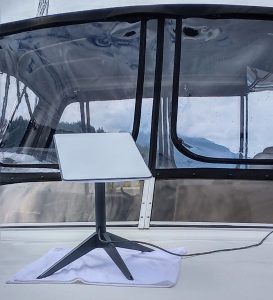
Not everything was smooth sailing with my original Gen 2 Starlink. The router began to fail, and the only way to reset it was by plugging and unplugging the unit six times consecutively. It almost felt like a weird university initiation, but oddly enough, it always worked. The problem was that it started happening more and more frequently, which quickly became frustrating. I even looked into buying a second-hand Gen 2 unit, but after reading numerous online complaints, I realized that upgrading to Gen 3 was the smarter decision.
I’ve now run both side by side, and the difference is obvious: the Gen 2 typically gave me speeds around 100–140 Mbps down and 10 Mbps up, while the Gen 3 consistently pushes 200+ Mbps down and closer to 20 Mbps up, depending on conditions. Beyond speed, the design itself is better. Unlike the Gen 2 dish, which automatically adjusts its angle, the Gen 3 is fixed. It doesn’t move, making it far more reliable in marine environments. Best of all, it can be flat-mounted on a deck or arch without worrying about motor burnout or alignment issues. For boaters, that’s a huge plus.
How Much Data Do I Actually Use?
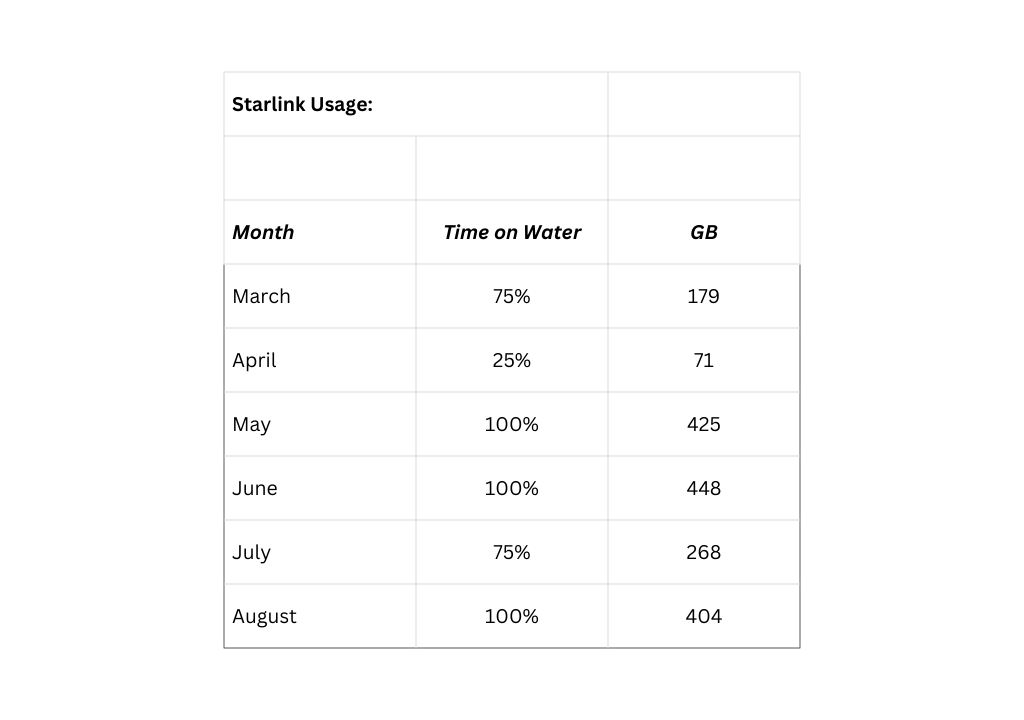
There is a new low-use plan, 50GB for $70 per month. I was a bit shocked to see how much I actually use! But I laugh because we gave our password to a friend’s child to do homework, and the next day, we noticed 11 devices were connected to our Starlink! And a few more people were loitering on our dock! We use it for streaming TV and music, so we consume a lot of data. I also upload my YouTube videos.
What About Standby Mode?
Until a few months ago, you could pause your service for free; however, a small monthly fee now applies. Standby mode differs from cancellation. If you cancel your account, you risk paying an activation fee to start again, and there’s no guarantee that service will be instantly available. With standby, your hardware and account remain active, allowing you to restart service immediately without any hassle. When you’re ready to use it again, reactivate, and your full plan is back online instantly.
Another bonus is that even in standby mode, you receive a small amount of data, sufficient for basic emergency use. For seasonal boaters, it’s the perfect solution to avoid paying full price during the off months, and at just $7 per month, it’s hard to beat.
I’m often asked: “Will standby mode give me enough data to manage my Victron systems remotely?” Here’s the scoop: standby mode itself doesn’t provide regular internet—it simply keeps your account active and provides a small amount of low-bandwidth data. However, if you’re running a Victron Cerbo GX system (like many of us do), it uses such a tiny trickle of data for monitoring (just kilobytes, not gigabytes), making the data usage negligible.
Starlink’s Standby mode offers speeds of up to 500 Kbps, which is more than enough data for basic device monitoring, such as the Victron Cerbo. Users have reported success using it for this purpose. I have not tried it yet, as I keep my Starlink active year-round. I would love to hear from those of you in standby mode and using a Victron Remote Monitoring System.
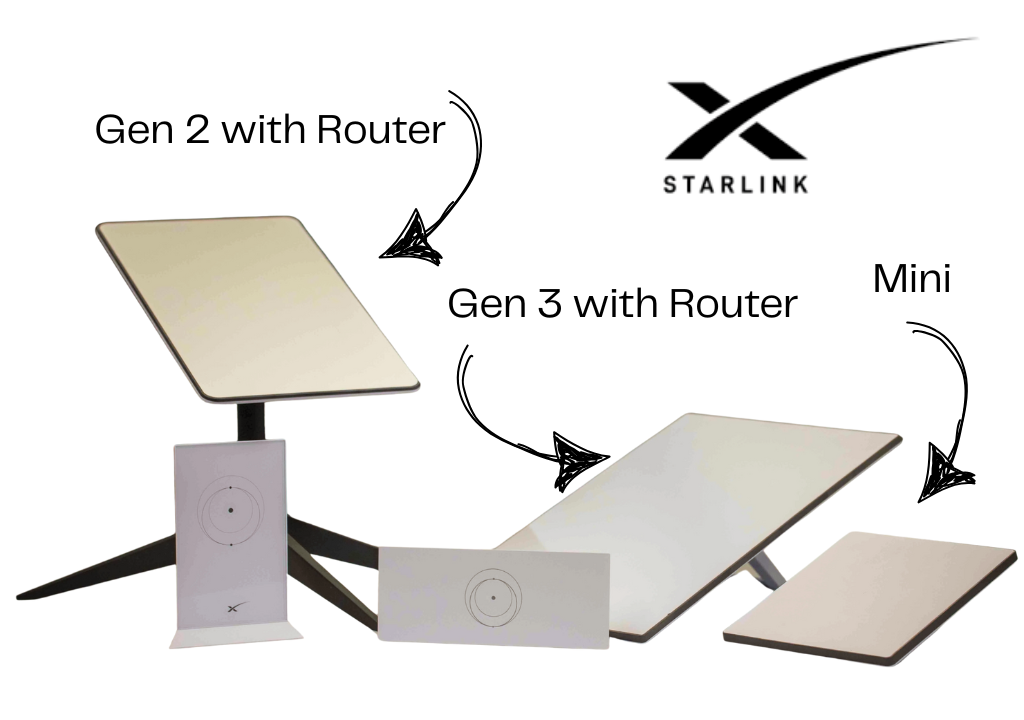
What about the Starlink Mini?
Many boaters have been curious about the new Starlink Mini, since it’s smaller and more portable. The Mini combines the dish and router into one unit, which makes it lightweight and easy to carry, but also less flexible for marine use. Unlike the Gen 2 and Gen 3, the Mini has no Ethernet port, which, for me, is a dealbreaker since I run security cameras that require hardwired connections. The Mini is specifically designed to be moved around—great for weekend boaters, RVs or temporary setups, but may not be ideal for a permanent marine installation.
Starlink Comparison for Boaters
| Feature | Gen 2 | Gen 3 | Mini |
| Availability | ❌ No longer sold new (second hand) | ✅ Available | ✅ Available (limited regions) |
| Design | Motorized dish, auto-tilt | Fixed dish, flat-mount capable | All-in-one dish + router, portable |
| Mounting | Best hard-mounted, motors can wear | Flat mount on deck/arch, no moving parts | Portable, not ideal for permanent install |
| Ethernet Port | Optional adapter required | Built-in Ethernet | ❌ No Ethernet (Wi-Fi only) |
| Performance | ~100–140 Mbps down / 10 Mbps up | ~200+ Mbps down / 20 Mbps up | ~50–100 Mbps down / 8–12 Mbps up |
| Hardware Cost | Was ~$800 CAD (used only) | ~$800 CAD | ~$400 CAD |
| Monthly Cost | $170–190 CAD (Roam) | $170–190 CAD (Roam) | ~$170 CAD (Roam) |
| Best For | Budget-friendly installs (if used) | High-performance, permanent marine installs | Camping, RVs, portable use, light boating trips |
Why I Recommend Starlink for Boaters
After running Starlink on my boat for several years, I can confidently say it’s been one of the best investments I’ve made for cruising. For boaters just getting started, the Mini is a fun option for shorter boating trips or those who use their boat only a few months a year. It is primarily designed for campers and RVers, but with its lack of Ethernet and lower speeds, it’s not ideal for a full-time marine installation.
I would also recommend skipping Gen 2 (since it’s no longer available) and going straight to Gen 3. It offers faster speeds, built-in Ethernet, and a flat-mount design that’s far more reliable on the water than the older motorized dishes.
Starlink has truly revolutionized the boating experience. I’ve used it in places where even VHF signals don’t reach, and it has never let me down. One of my favourite moments? Sitting in Princess Louisa, surrounded by towering fjords, watching a live hockey game. Ten years ago, that would have sounded impossible.
If you’re a new boater wondering whether to invest in Starlink, here’s my advice:
- It’s worth it if you cruise in remote areas and need reliable internet.
- Installation can be temporary or permanent—start simple and adjust later.
- Expect rule changes (like the Roam/Mobile Priority shift), but the service itself remains strong.
- Consider joining Starlink on Boats or Starlink Canada on Facebook for up-to-the-minute tips and installs from other boaters.
I still love it, and I think most cruisers who’ve tried it would agree that once you experience Starlink at sea, it’s hard to imagine going back.
💡 Pro tip: If you’re signing up, here’s a link for a free month: MissyFreeStarlinkMonth